



This guide shows how to uninstall CiraSync On-Prem UCM.
Instructions
- Open the computer Control Panel.
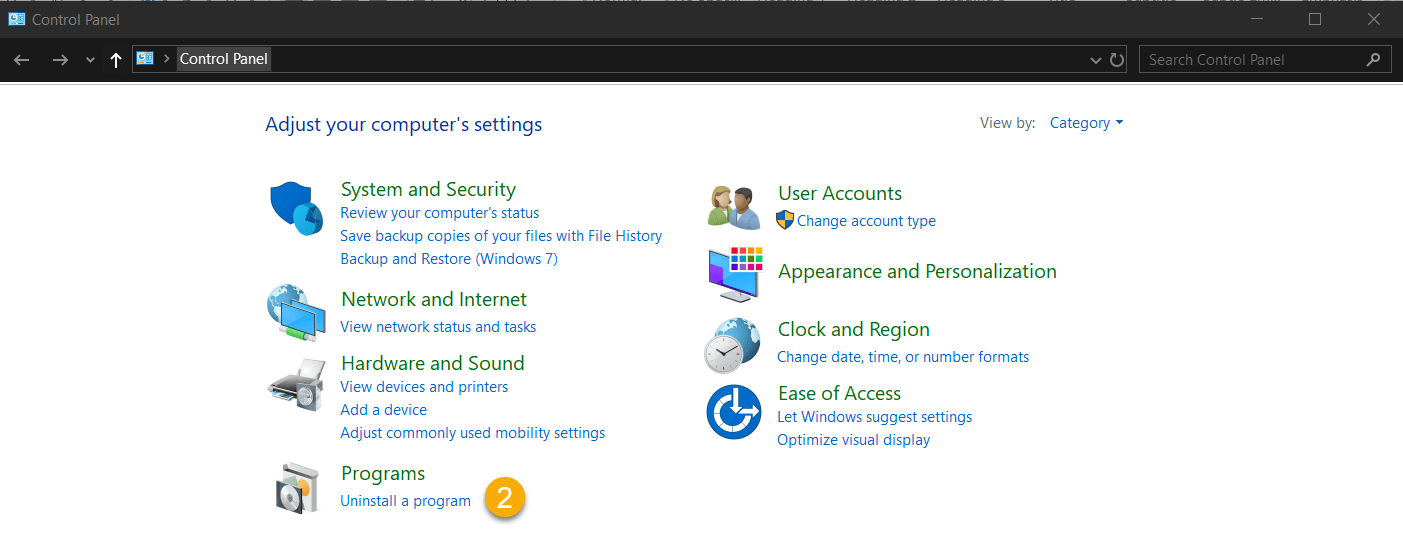
- Click Uninstall a program under Programs. (See figure below.)
 The Programs and Features Window will open. (See figure below.)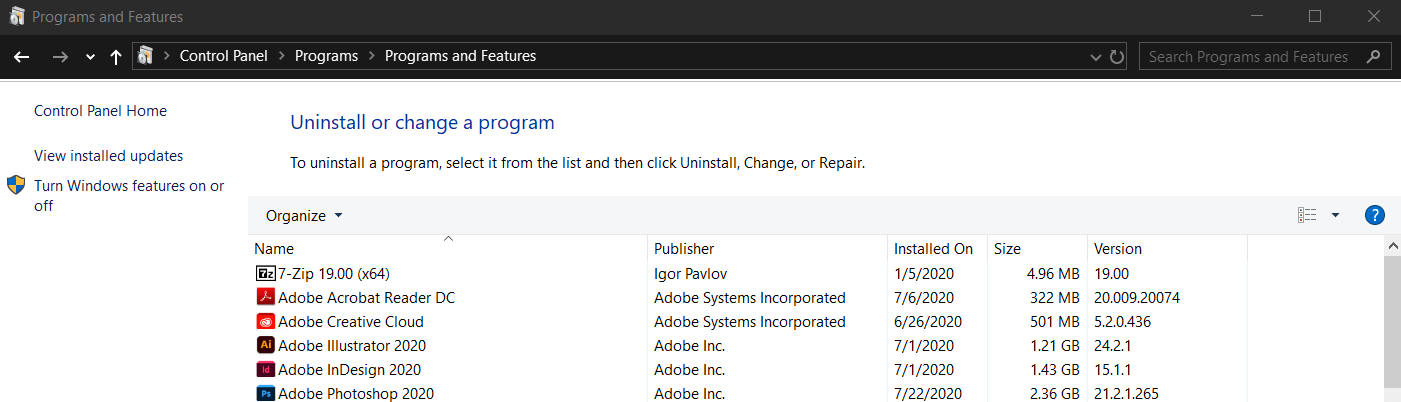
- Right-click itrezzoAgent. > Click Uninstall. The itrezzoAgent Setup window will open. (See figure below.)NOTE: You can use the search bar in the top-right corner to filter through the list of programs.
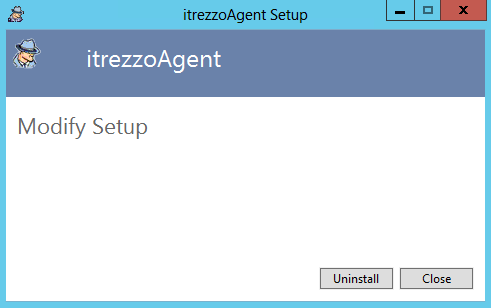
- Click Uninstall.
- Dismiss any prompts that may appear during and after the uninstall process.
- Open Local Disc (C:).
- Open Program Folders (x86).
- Open the itrezzoAgent folder.
- Delete the Logs folder. NOTE: If you do not plan to reinstall CiraSync On-Prem or migrate the server, you can delete the entire itrezzoAgent folder.
