



During the CiraSync On-Prem UCM setup, trial licenses were requested. The following shows how to install CiraSync On-Prem UCM license packs.
Instructions
- Open the email sent by CiraSync On-Prem during the UCM setup. A license pack will be attached.
- Forward the email to the service account email used during setup. NOTE: Within a minute, you will receive an email that will confirm that an CiraSync On-Prem license pack was automatically added to your tenant.
- Launch CiraSync On-Prem UCM.
- Expand Global Configuration on the left navigation panel.
- Click License Packs. NOTE: Do not click the arrow next to License Packs. Clicking it will expand the option and will not take you to the License Pack window.
- Click the Tablet and Gear icon in the License Packs menu at the top of the page to run a license pack check. (See figure below.)
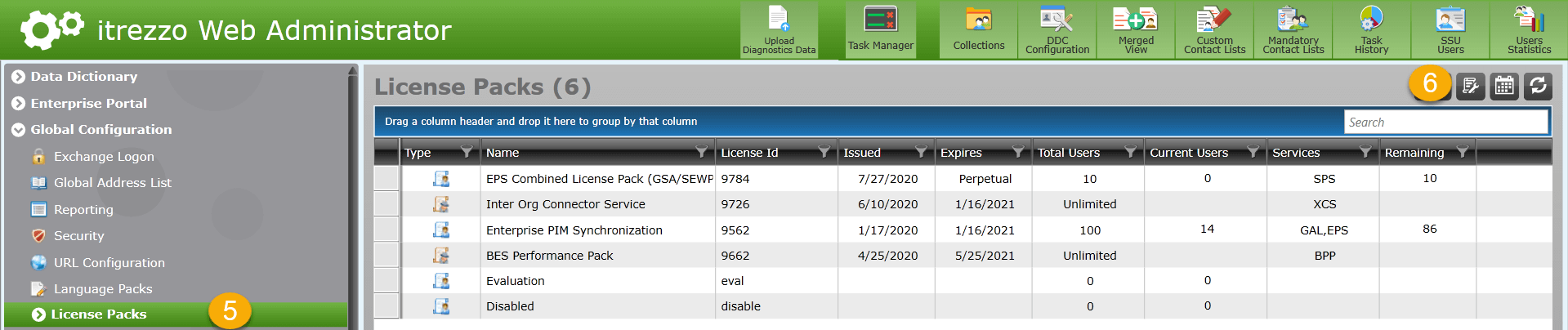 NOTE: It may take several minutes for the license packs to appear.
Next Article: Licensing User Mailboxes Using Contact Collections
